Mirror App - Beauty Mirror
Dairy App & Notes & Audio Editor & Voice RecorderBeauty
4.71.20K Reviews
- Version
- 1.02.47.1106
- Installs
- 5.00M
- Age Rating
- Everyone
Screenshots
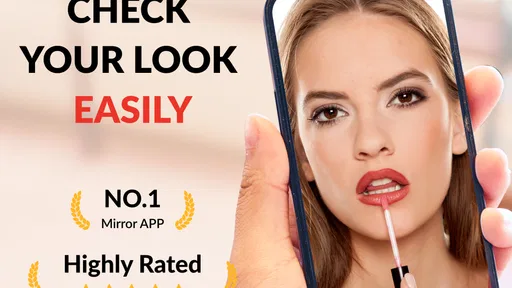
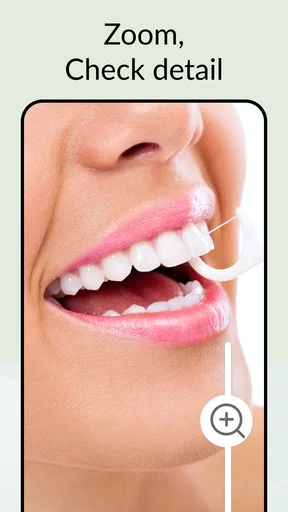
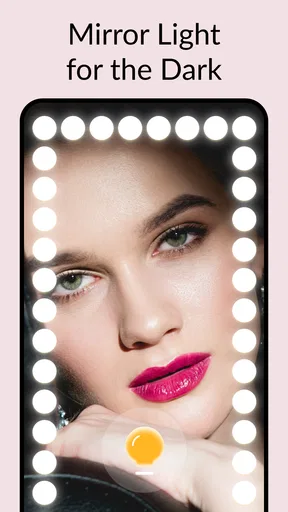




Our Review of Mirror App - Beauty Mirror
 Analysis by Appyee
I often reach for a mirror app when I’m away from home and want a quick, clear look without hunting for a reflective shop window. Mirror App - Beauty Mirror is built for that small, practical need: it turns a phone’s camera into a mirror, with lighting and shaving or makeup use in mind. I see its appeal less as a replacement for a bathroom mirror and more as a handy backup for everyday checks.
What the free option means in practice
The app is free to install, so trying it for a quick reflection does not require an upfront purchase. There are in-app purchases priced from $0.99 to $9.99 per item, which means the free entry point and optional paid items should be considered separately. I would start with the no-cost access and decide whether the app suits my routine before spending anything.
It has a 4.5 average from around 25,000 ratings and more than five million installs, so it has found an audience among people looking for a portable mirror. Those figures are useful context, but they don’t tell me whether every paid item is worthwhile or whether a particular feature will matter to you. I’d judge value by how often I actually open it: a tool used before several outings can feel more worthwhile than one installed for a single emergency.
When a phone mirror earns its place
The best case for this kind of app is convenience. A physical compact mirror can be clearer and more dependable, but it is one more thing to carry. A dark phone screen can show a rough reflection, yet it is a poor substitute when the display is smudged or the surroundings are dim. A camera-based mirror is useful when I want to check a detail quickly and already have my phone in hand.
Think of getting ready to leave work and noticing a strand of hair out of place, or checking lipstick after lunch before heading into a meeting. In those situations, a mirror app can save a walk to the restroom and offer a closer look than a casual glance at a window. For shaving, it can be a convenient spot check, though I would still rely on a proper bathroom mirror for careful grooming rather than treating a phone screen as a full-size mirror.
It is also worth being realistic about light. A brighter screen or lighting adjustment can help when the room is gloomy, but it cannot reproduce balanced daylight or make every color look true. If I’m matching foundation or judging makeup shades, I’d check near a window or under the lighting where I plan to spend time. A phone mirror is better for spotting smudges and stray hairs than for making a final call on subtle color.
Who is likely to get value
I’d recommend trying it if you frequently need quick touch-ups while commuting, traveling, or moving between appointments. It may also suit someone who wants to check their face or hair without carrying a separate compact. The developer is listed as Dairy App & Notes & Audio Editor & Voice Recorder, and the app is in the beauty category, though its main appeal is a practical mirror rather than a full beauty routine.
On the other hand, skip it if you need a large, hands-free mirror for a detailed makeup session, or if your phone’s front camera and display are not comfortable to use for close inspection. A physical mirror is often simpler for longer grooming: it doesn’t depend on keeping a screen awake, and you can hold it at a useful angle without balancing a phone. The app makes most sense as a supplement, not as a reason to throw out a mirror you already like.
There are a few small habits that can make a camera mirror more useful. Wipe the front camera area before opening it; fingerprints on the lens can make the image look hazy and may be mistaken for poor lighting. Hold the phone a little farther away than you would for a selfie, then adjust your distance instead of relying on an extreme close-up. That gives a more natural view of your overall appearance and makes it easier to catch details without losing context.
A Mirror in Your Pocket
We’ve all been there—checking our reflection in a car window or a phone screen, hoping it suffices. But with the Mirror App - Beauty Mirror, it's a game-changer. The app transforms your smartphone into a high-definition mirror that’s always at your fingertips. It uses your front camera to create a reflection, but it’s not just any reflection. It’s enhanced, brightened, and oh-so-clear, making every check-in feel like you’ve got a professional beauty mirror in hand.
User Experience and Interface
The user interface is as straightforward as it gets. You launch the app, and boom—you’re looking at yourself. No confusing menus or hidden features. Just a simple, effective tool that does exactly what it promises. The controls are intuitive, allowing you to zoom in and out with a simple pinch, and there’s even a freeze frame option to capture that perfect look. Fancy, right?
One of my favorite features is the brightness adjustment. You can tweak it to suit your environment, ensuring you always have the best lighting possible. Whether you're in a dimly lit restaurant or a sun-drenched park, this app has your back.
Additional Features Worth Noting
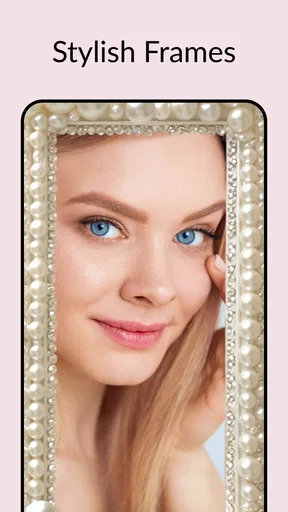
Beyond the basic mirror functionality, the app offers some neat extras. There’s a night mode that comes in handy for those late-night outings when you need a quick touch-up. Plus, the app includes several frames and overlays, allowing you to personalize your mirror experience.
"It’s like having your own portable dressing table," a friend exclaimed when I showed them the app. And truly, it feels that way!
The app also supports screen rotation, so whether you're using it vertically or horizontally, you’ll get a full view. And it runs smoothly without any lag, which is crucial when you’re in a hurry.
Why You Might Love It
If you’re someone who’s always on the go and values convenience, you’ll appreciate having this app at your disposal. It’s great for quick hair checks, makeup touch-ups, or even just to make sure you don’t have spinach stuck in your teeth after lunch. The clarity and ease of use make it a delight to use.
For folks who enjoy a bit of personalization, the ability to add frames and overlays can make your reflection sessions more fun and engaging. Plus, the night mode is a thoughtful addition that shows the developers really considered different user scenarios.
Room for Improvement
While the app is pretty fantastic, it’s not without its hiccups. I noticed that it could occasionally drain the battery if used for extended periods, which is something to keep in mind if you’re low on juice. It would be great to see some energy-saving options in future updates.
Also, while the frames and overlays are a nice touch, more variety would be appreciated. A few more themes or seasonal options could keep the app feeling fresh and exciting.
Getting a more dependable check
For the most useful result, I’d treat the app as a quick inspection tool rather than a perfect reflection of how I look to others. Camera position, screen brightness, and the color of nearby light all affect what I see. If I’m checking whether something is on my face, that is usually enough; if I’m making a careful decision about makeup color, I’d confirm it in a regular mirror under neutral light.
The freeze-frame option can help when I need both hands free for a moment, but it changes the task: I’m looking at a still image rather than a live reflection. That can be convenient for reviewing a detail, though it is not the same as having a physical mirror positioned where I can keep watching while I work. Likewise, rotating the screen may be useful when I want a wider view, but the phone still needs to be held in a comfortable position.
Battery use is another practical consideration for longer sessions, especially if I’m already relying on my phone for navigation or messages. I’d open the app for brief checks rather than leave it running while getting ready. That keeps the tool in its strongest role—a fast alternative when a mirror is not nearby—instead of expecting it to replace a dedicated grooming setup.
Room for Improvement
While the app is pretty fantastic, it’s not without its hiccups. I noticed that it could occasionally drain the battery if used for extended periods, which is something to keep in mind if you’re low on juice. It would be great to see some energy-saving options in future updates.
Also, while the frames and overlays are a nice touch, more variety would be appreciated. A few more themes or seasonal options could keep the app feeling fresh and exciting.
Availability and final value
The app is rated for Everyone and is free to install. It was released on May 22, 2021, and its current version is 1.02.38.0210; it requires Android 7.0 or later. Those details make it straightforward to assess whether it fits an Android device, while optional purchases remain a separate choice rather than a requirement for simply trying the app.
My practical recommendation is to install it if you want a mirror close at hand for brief checks and are comfortable using your front camera. I would not pay for optional items before trying the free access and seeing whether the basic mirror fits my habits. If your priority is precise makeup work, a larger physical mirror is the better choice; if your priority is convenience between places, this app is an easy one to test.
Wrapping It Up
All in all, the Mirror App - Beauty Mirror is a charming addition to your smartphone toolkit. It’s handy, easy to use, and genuinely useful for those moments when you just need a quick look at yourself. Whether you’re prepping for a meeting, heading out for a night on the town, or simply need a confidence boost, this app has got you covered.
So, if you’ve ever found yourself wishing you had a mirror at the ready, give this app a whirl. It’s like carrying a little bit of magic in your pocket, and who wouldn’t want that?
Privacy and Permissions
See what permissions an app requests and how it handles your data.
- Photos/Media/Files
- read the contents of your USB storage, modify or delete the contents of your USB storage
- Storage
- read the contents of your USB storage, modify or delete the contents of your USB storage
- Camera
- take pictures and videos
- Wi-Fi connection information
- view Wi-Fi connections
- Other
- view network connections, full network access, prevent device from sleeping
Verdict
Strengths of Mirror App - Beauty Mirror
- High-quality reflection for detailed viewing.
- Easy to use with intuitive controls.
- Built-in zoom feature for close-ups.
- Adjustable brightness for various lighting.
- No ads in the premium version.
Limitations of Mirror App - Beauty Mirror
- Limited features in the free version.
- May experience lag on older devices.
- Requires camera access at all times.
- No option to save mirror images.
- Occasional crashes on certain updates.
Other Releases by Dairy App & Notes & Audio Editor & Voice Recorder
View All
My Diary - Daily Diary Journal
Lifestyle4.8
Similar Picks in This Category
View All
Beauty Makeup Editor & Camera
Photo & Video Editors - Instant Solution4.7

Perfect365: Face Makeup Editor
Perfect365, Inc.3.5

Mirror Plus - HD Mirror app
Digitalchemy, LLC4.8

Cute Lock Screen & Wallpapers
Prometheus Interactive LLC4.6

HD Camera for Android
One Music Player4.5

Phone Mirror app - True Mirror
Cards4.6
Frequently Asked Questions
What is the Mirror App - Beauty Mirror used for?
The Mirror App - Beauty Mirror is designed to transform your smartphone into a portable mirror. With features like zoom, brightness adjustment, and various filters, it enhances your reflection experience. Ideal for quick touch-ups or ensuring your look is just right, it's a handy tool for beauty enthusiasts.
Does the app require an internet connection to function?
No, the Mirror App - Beauty Mirror does not require an internet connection to function. Once downloaded, you can use all its features offline. This makes it convenient for use anywhere, whether you're in a remote location or just out of data range.
Are there any additional features besides the basic mirror function?
Yes, the app offers several additional features such as zooming capabilities, brightness and contrast adjustments, and a selection of beauty filters. These tools allow you to customize your reflection for optimal viewing, making it more than just a basic mirror application.
Is the Mirror App - Beauty Mirror available for both Android and iOS devices?
Yes, the app is compatible with both Android and iOS devices. It provides a seamless experience across platforms, ensuring users can enjoy its features regardless of their device preference. You can find it on both the Google Play Store and the Apple App Store.
Are there any in-app purchases or advertisements in the Mirror App - Beauty Mirror?
The app offers a free version with advertisements. However, users can opt for in-app purchases to remove ads and unlock additional premium features. This allows for a customizable experience depending on your needs and preferences, enhancing the overall usability.
